Surf instead of staring at the forecast all day.
Surf alerts and forecasts for Northern Europe
Surflert is an iPhone app that monitors wind, waves and weather using YR forecast data and alerts you when conditions match your requirements.
Surfing in Northern Europe is about timing.
Surflert continuously evaluates surf conditions using YR forecast data, tuned specifically for Northern Europe. Instead of global averages, we focus on local detail — where missing the right hour means missing the session. Surflert keeps watch so you don’t have to and helps you catch the windows daily updates miss. Whether you’re waiting for the kind of conditions that happen once a year, want to keep an eye on a remote spot, or aiming for more everyday sessions, Surflert adapts to how you surf.
Spot + sport
Set conditions per spot and sport, so each place is evaluated the way you actually surf it.
Smart alerts
Get push notifications when a new matching window is detected, and again when it’s getting close — evaluated continuously in the background so you don’t miss short-lived windows.
Check the forecast behind the alert
Open the full hourly forecast to inspect wind, waves and weather before you head out.
Sessions
Save past surf and kitesurf sessions with notes, ratings, photos and forecast snapshots, so you can look back at the forecast and how the session actually turned out.
See it in action

Build spots for the sessions you want
Set the conditions that make it worth going.

Your local and remote spots, all in one place
Track the spots close to home and the ones you’re planning trips around.

Know when a window is opening up
Get alerted when conditions start to come together.

Get an overview at a glance
See what’s firing, what’s building, and what’s still a maybe.

Choose the kind of alert you want
Get a heads-up early, then a reminder when it’s close.
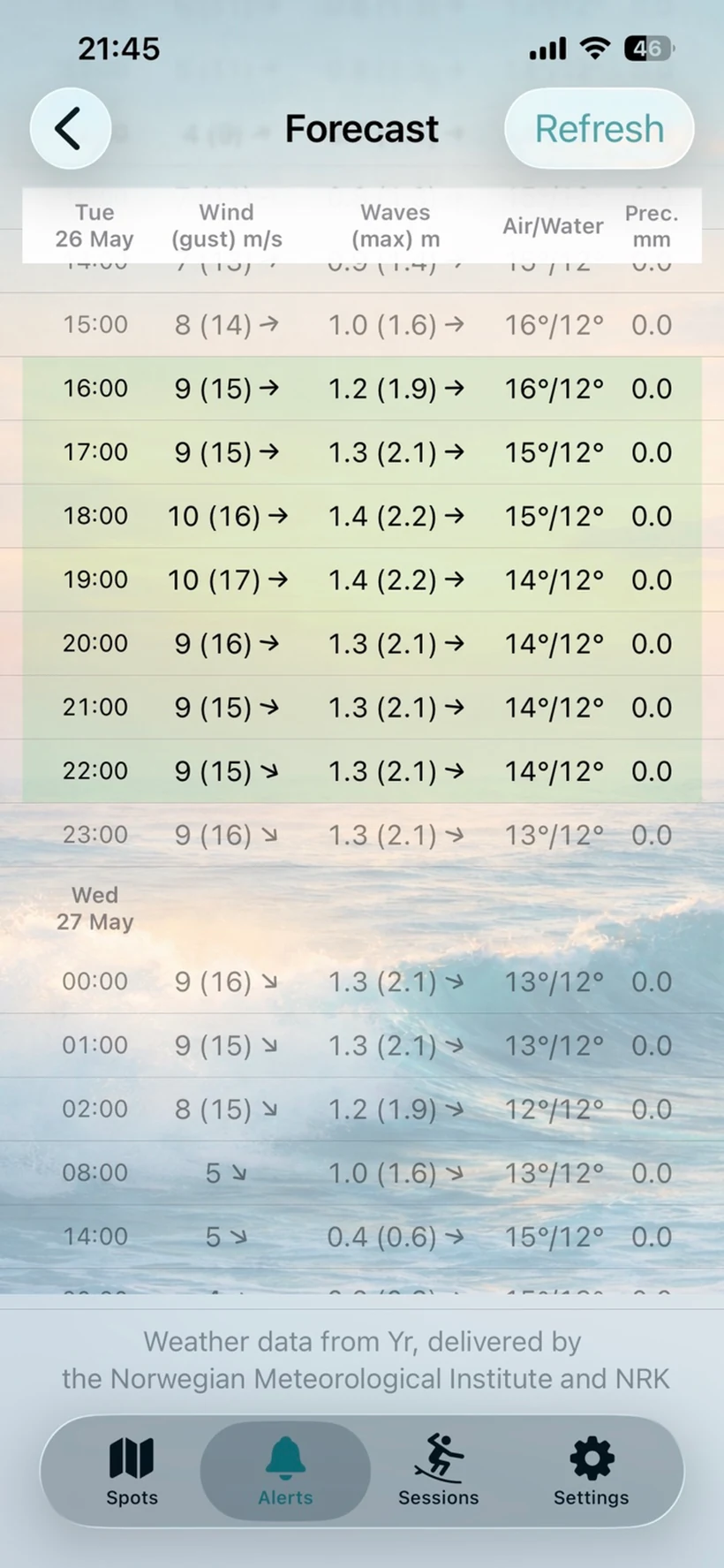
See what’s behind the alert
Open the full hourly forecast and inspect the conditions before you head out.
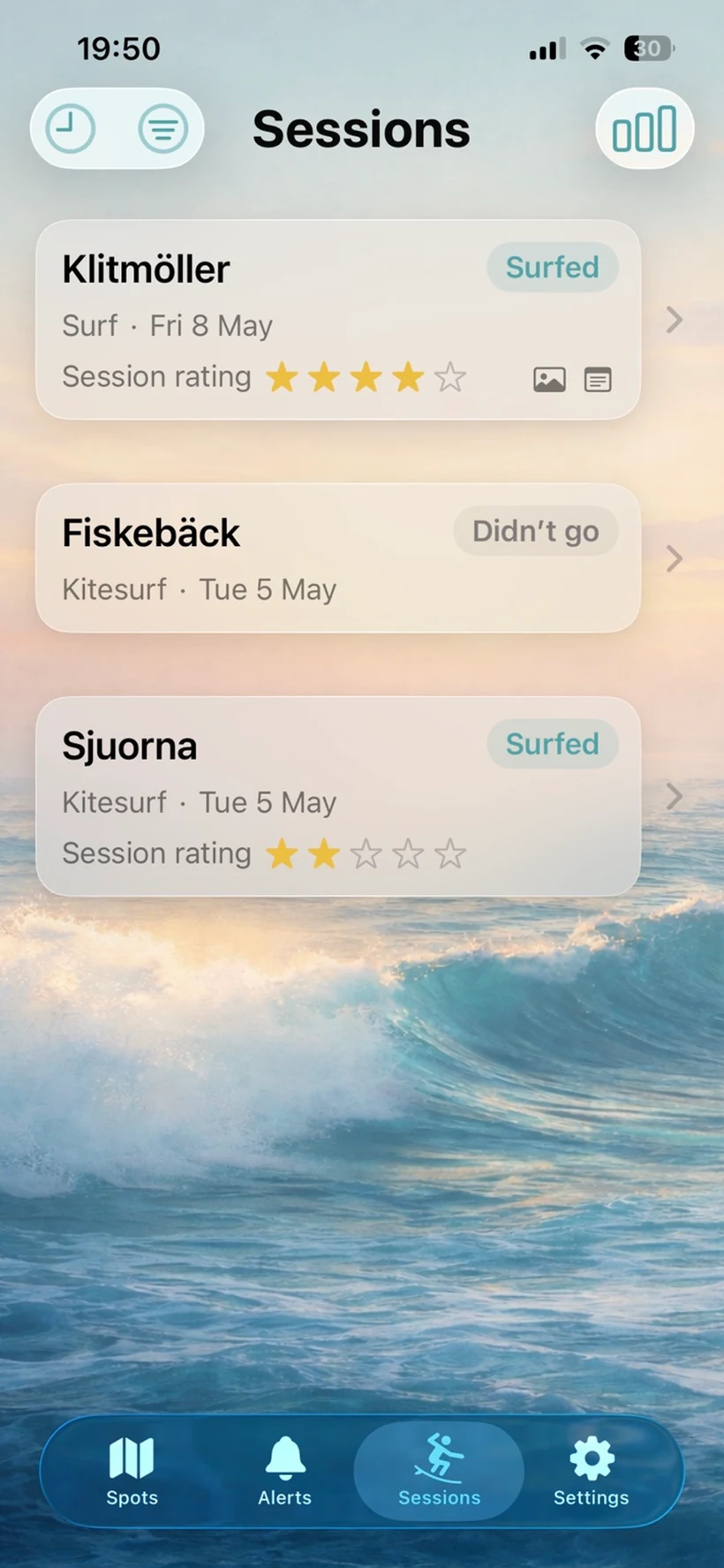
Your sessions, all in one place
Look back at past sessions, see what you surfed, and keep a simple history of how each session turned out.
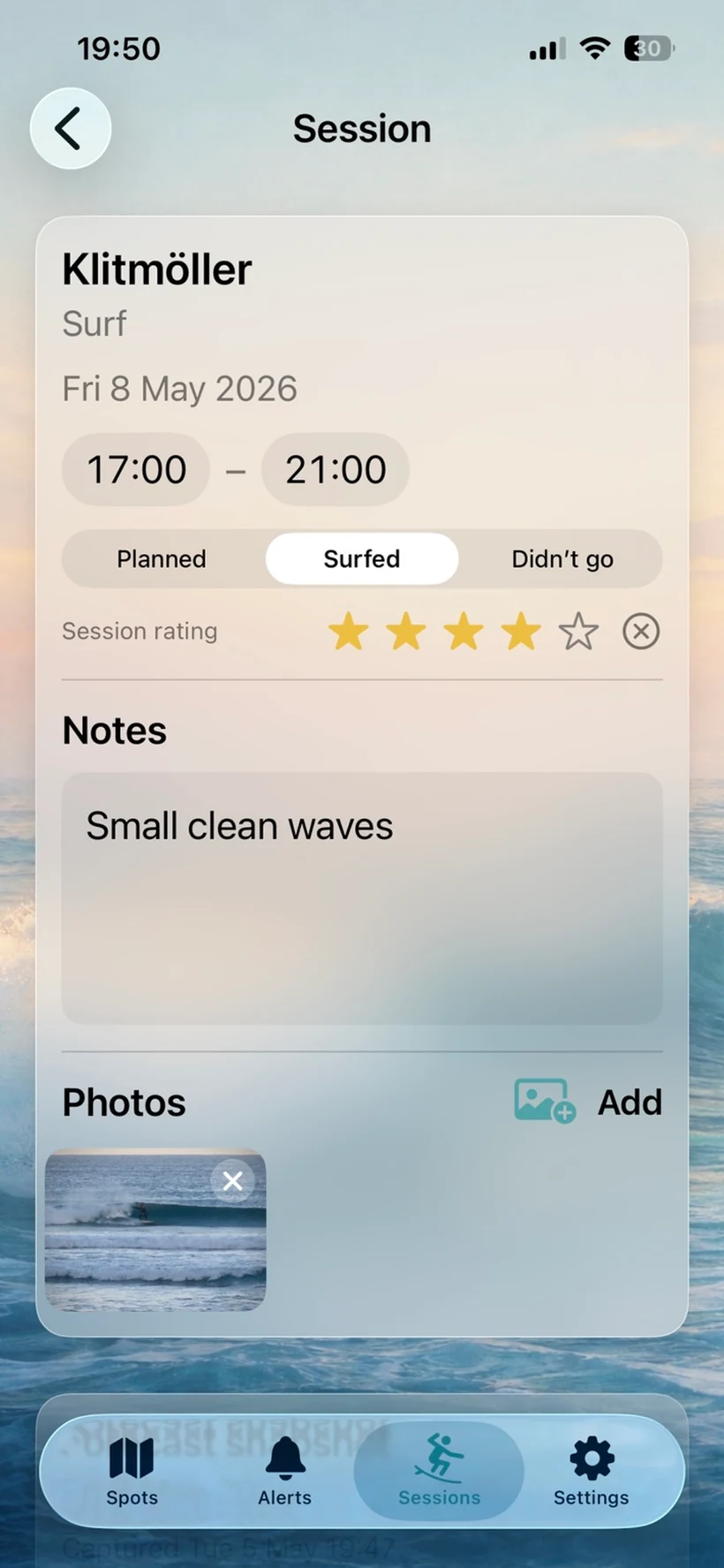
Add notes, ratings and photos
Capture how the session turned out with notes, ratings and photos — with the forecast snapshot saved alongside it.
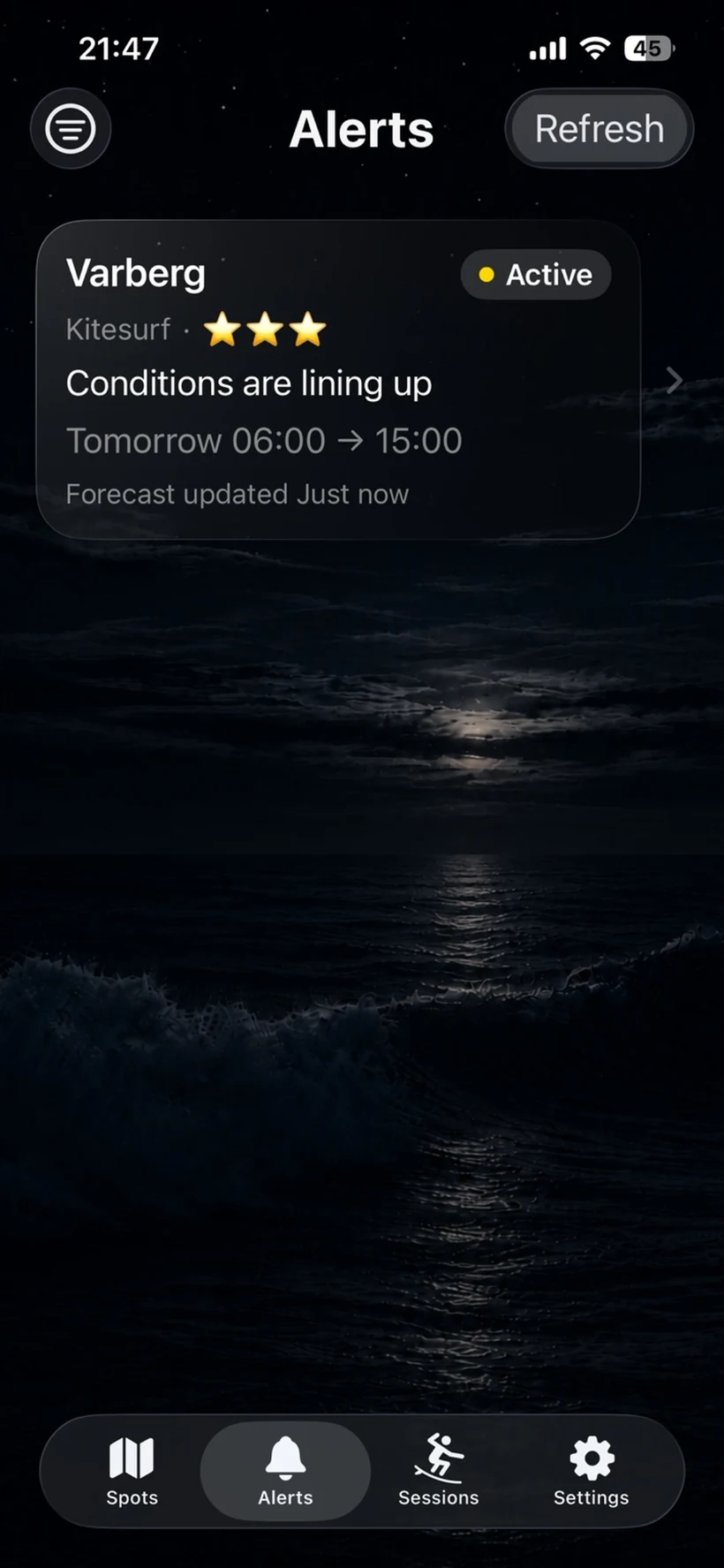
Dark mode for dawn patrols and late-night checks
A calmer way to keep an eye on alerts and forecasts whenever you check conditions.
FAQ
- What does the app do?
The app monitors forecasts for your saved spots and highlights time windows where your selected conditions match. It can notify you when a new window appears and remind you before it starts. Forecasts can change, so always check the latest details before heading out.
- What are sessions?
Sessions let you save surf sessions in your own logbook. A session is created from an alert when conditions look interesting. You can track when and where you went, add rating, notes, photos, and a saved forecast snapshot. You can also view statistics over time.
- Will the app work anywhere?
Yes and no. Wind-based conditions can be evaluated globally where forecast data is available. However, the app is optimized for Northern European forecast models and coastal conditions. Wave and water temperature data are currently focused on Northern Europe, and availability may vary depending on location.
- How often is the forecast evaluated?
For Premium users, forecasts are evaluated continuously in the background. Updates may also happen when the app is opened or manually refreshed.
- What is a window?
A window is a time period where conditions match your selected criteria. Windows can change as forecasts are updated.
- What is a Heads-up alert?
Heads-up is the main alert. It checks your selected forecast range for matching windows and notifies you when a new window appears.
- What is an Early Heads-up alert?
Early Heads-up is an optional early notice. It checks the longer-range forecast for possible matching windows several days ahead. These alerts are early signals, so the timing and conditions may still change.
- What is a Get Ready alert?
Get Ready is an optional reminder. It reminds you shortly before a matching window is expected to start, based on your selected timing.
- What does Proximity mean?
Proximity describes how close the forecast is to meeting your selected criteria. Higher proximity means conditions are closer to becoming a matching window.
- What do Active, Monitoring, and Paused mean?
Active means conditions match your criteria within your selected alert timing. Monitoring means forecasts are being evaluated but no matching window is currently detected. Paused means evaluation and alerts are temporarily disabled for that spot.
- What does Rating mean?
Rating is how you rate the conditions you have set for the spot. It reflects your own assessment of how good those conditions would be.
- How do I delete a spot?
Swipe left on a spot in the Spots view.
- Why didn’t I receive a notification?
Notifications are sent only when conditions match your criteria and the relevant alert layer is enabled. Make sure alerts are enabled and that notifications are allowed for Surflert in iOS Settings.
- Why did I get an alert but the window disappeared later?
Forecasts change frequently. Alerts reflect the best available data at the time they were sent, but conditions may change afterwards.
- What’s the difference between Free and Premium?
Free includes one spot with manual refresh and no push notifications. Premium includes up to 10 spots, background evaluation, proximity indicator, Early Heads-up, Heads-up and Get Ready push alerts.
Privacy
Surflert stores only what’s needed to provide the service
(e.g. device identifier, push token, premium status, alert settings, and a “last seen” timestamp).
The last seen timestamp is used to keep the service reliable (for example, to clean up inactive devices and associated backend data) and is not used for tracking.
The app also stores locations (“spots”) explicitly added by the user. These spot locations are used only to
provide forecasts and alerts and are not used for tracking.
You can remove local app data at any time by uninstalling the app.
Terms of Service
Surflert provides surf condition alerts and forecasts for informational use. Forecasts and alerts are estimates and may be inaccurate.
You are responsible for your own safety and decisions.
Premium is an auto-renewing subscription billed through the App Store. Payment is charged to your Apple ID at confirmation of purchase.
The subscription renews automatically unless auto-renew is turned off at least 24 hours before the end of the current period.
You can manage or cancel your subscription in iOS Settings → Apple ID → Subscriptions.
This page is a short summary. Your App Store purchase is governed by Apple’s terms and your App Store account settings.
Last updated: 2026-08-13
